

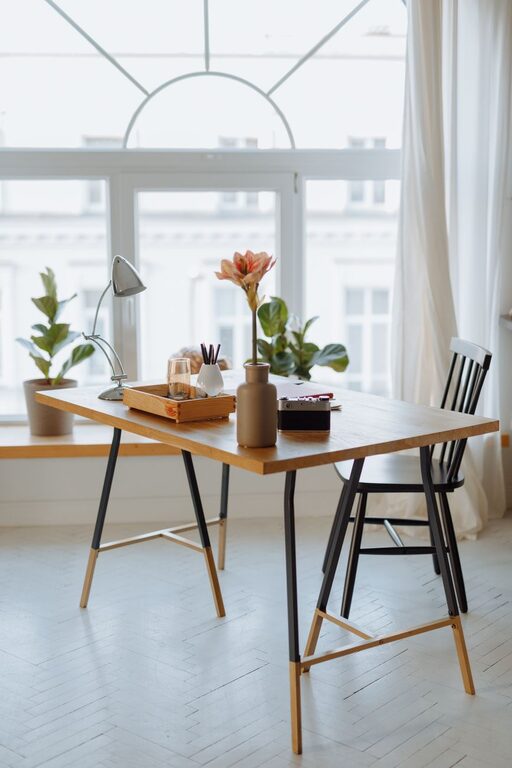
Creating a relaxing home office environment is essential for staying productive and maintaining well-being when working remotely. A space that feels calm and inviting can reduce stress, improve focus, and make your workday more enjoyable. Whether your home office is a dedicated room or a small corner, there are plenty of ways to tailor it to your comfort and needs.
In this post, we’ll explore practical tips for designing a home office that promotes relaxation and productivity.
Choose the Right Location
Prioritize Natural Light
If possible, set up your home office near a window. Natural light boosts mood, keeps you alert, and can reduce eye strain. Even if your work area is small, positioning your desk to face or be near a source of daylight can make a big difference.
Minimize Noise and Distractions
Choose a spot away from noisy areas like the kitchen or living room. Consider noise-cancelling headphones or soft background music if complete silence isn’t an option. Creating a boundary between your workspace and living areas helps maintain focus.
Invest in Comfortable Furniture
Ergonomic Chair and Desk
Comfort is key for long work hours. An ergonomic chair that supports your back and encourages good posture is a worthwhile investment. Pair it with a desk at the right height to avoid strain.
Flexible Workspace Arrangements
If space allows, include options to change your working position, such as a standing desk converter or a comfortable lounge chair for reading and brainstorming. This flexibility can reduce fatigue.
Use Calming Colors and Decor
Choose Soothing Colors
Colors affect mood; soft blues, greens, or neutral tones often create a peaceful atmosphere. Avoid overly bright or distracting colors that might increase stress.
Personalize Thoughtfully
Add a few personal touches like plants, artwork, or photos that inspire you. Plants, in particular, bring freshness and improve air quality. Keep decorations minimal to avoid clutter.
Organize and Declutter
Keep Essentials Within Reach
Organize your desk so that frequently used items are easily accessible. Use desk organizers, drawers, or shelves to keep things tidy.
Declutter Regularly
A cluttered space can lead to a cluttered mind. Set aside a few minutes each day to tidy your area, and remove items that aren’t necessary for work.
Manage Lighting Effectively
Layer Your Lighting
In addition to natural light, use a combination of overhead, task, and ambient lighting. A desk lamp with adjustable brightness can help you focus without straining your eyes.
Avoid Harsh Glare
Position your monitor to reduce glare from windows or lights. Consider using blinds or curtains to control the amount of sunlight.
Incorporate Relaxation Elements
Add Comfort Items
Items like a soft cushion, a cozy throw blanket, or a small footrest can increase your comfort, helping you stay relaxed during long working sessions.
Use Aromatherapy
A subtle diffuser with calming scents such as lavender or eucalyptus can create a soothing environment. Make sure the scent is mild and not overpowering.
Set Boundaries and Create a Routine
Define Work Hours
Establish clear working hours to separate work time from personal time, helping your mind recognize when to focus and when to unwind.
Use Visual Cues
When you’re finished working, physically tidy your desk or close your laptop to signal the end of the workday.
Stay Hydrated and Take Breaks
Keep Water Nearby
Having a water bottle at your desk encourages you to stay hydrated, which supports concentration and energy levels.
Move Regularly
Take short breaks to stretch or walk around. This not only reduces physical tension but also refreshes your mind.
—
Creating a relaxing home office doesn’t require a complete overhaul. By focusing on comfort, organization, natural light, and personal touches, you can cultivate a space that supports your productivity and well-being. Take small steps, try out what works for you, and enjoy your new calm workspace!