

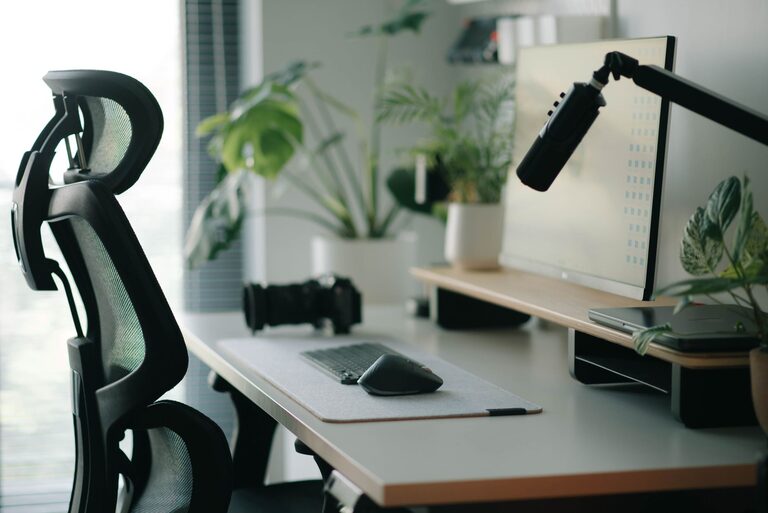
Working from home has become a common reality for many people, and having the right environment can make all the difference in staying productive. Whether you’re new to remote work or looking to improve your current home office, creating a space that supports focus, comfort, and efficiency is key. Below are practical tips to help you set up a home office environment that works for you.
Choose the Right Location
Selecting a quiet, dedicated area for your home office is the first step. It doesn’t need to be a large room but should minimize distractions.
– Find a spot with enough natural light to keep you energized.
– Ideally, pick a space away from high traffic or noisy areas in your home.
– If space is limited, use room dividers or curtains to create a visual boundary.
Invest in Comfortable Furniture
Comfort directly impacts productivity. Choose furniture that supports good posture and reduces fatigue.
– Select an ergonomic chair with adjustable height and lumbar support.
– Use a desk at the proper height so your arms rest comfortably when typing.
– Consider a standing desk or an adjustable desk converter to alternate between sitting and standing.
Organize Your Workspace
A cluttered workspace can decrease focus. Keep your desk tidy and organized to improve efficiency.
– Use storage solutions such as shelves, drawers, or filing cabinets.
– Keep frequently used items within easy reach.
– Regularly clear unnecessary papers and supplies from your desk.
Optimize Lighting
Proper lighting reduces eye strain and keeps you alert during work hours.
– Maximize natural light with a window near your desk if possible.
– Supplement with adjustable desk lamps that provide focused, soft light.
– Avoid harsh overhead lighting or glare on computer screens.
Minimize Distractions
Reducing interruptions helps maintain concentration and workflow.
– Use noise-canceling headphones or white noise machines to block background noise.
– Set clear boundaries with family or roommates about your work hours.
– Turn off notifications on non-work devices during focused work sessions.
Personalize Your Space
Adding personal touches can make your home office more inviting without causing distractions.
– Decorate with plants for a calming effect and improved air quality.
– Display motivating quotes or artwork to inspire creativity.
– Choose colors for walls or accessories that promote calm and focus, such as blues or muted greens.
Use Technology Wisely
Setting up technology to support your work is essential for productivity.
– Ensure a reliable internet connection to avoid interruptions during meetings or tasks.
– Invest in necessary peripherals like an external monitor, keyboard, or mouse for comfort.
– Backup your work regularly and keep software up to date.
Develop a Routine
Creating a consistent daily routine helps your mind shift into work mode.
– Set specific work hours and breaks to maintain balance.
– Start each day by reviewing your tasks and priorities.
– Use time management techniques such as the Pomodoro method to stay focused.
Take Care of Your Well-Being
Your physical and mental health influences your productivity.
– Take short breaks to stretch or move around every hour.
– Stay hydrated and eat balanced meals during your workday.
– Incorporate moments for mindfulness or relaxation when needed.
Keep Improving Your Setup
Regularly assess your workspace and habits to identify areas for improvement.
– Adjust your chair or desk height if you feel discomfort.
– Refresh your organization system if clutter starts to build up.
– Stay open to trying new tools or strategies that enhance your workflow.
—
Creating a productive home office environment is about combining comfort, organization, and good habits. With these tips, you can design a space that supports your best work and helps you maintain focus throughout the day. Remember, small changes in setup or routine can have a big impact on your productivity and work satisfaction.